CREATE WITHOUT LIMITS.
Your Ideas. Your Canvas. Your Creativity.
Turn your ideas into stunning designs, engaging content, powerful presentations, and scroll-stopping visuals.
With Canva Pro, bring your creative vision to life faster with premium design tools, templates, and creative resources.
Design it. Make it yours. Share it with the world.
ONE IDEA. ENDLESS POSSIBILITIES.
From your next Instagram post to your next big presentation, create something that looks as good as your idea.
Social Media
Create posts, stories, reels, and content that gets attention.
Business
Build presentations, proposals, reports, and professional documents.
Marketing
Design ads, flyers, posters, banners, and campaign creatives.
Video
Turn your ideas into engaging videos, reels, and promotional content.
Branding
Create visuals that make your brand recognizable and memorable.
MAKE IT LOOK AMAZING.
You don’t need to be a professional designer to create professional-looking work.
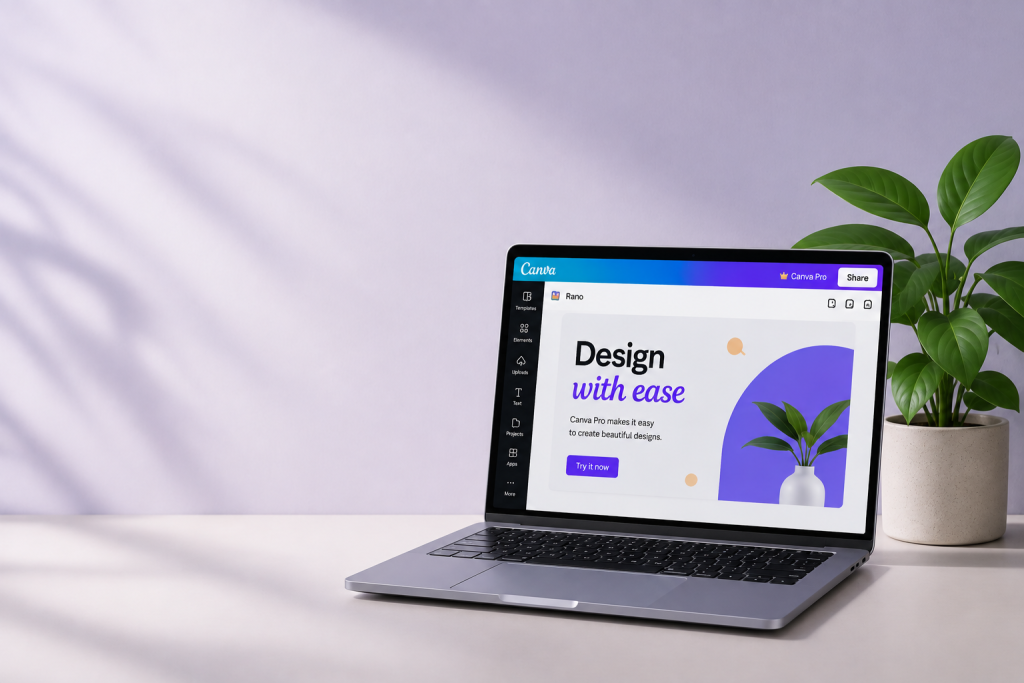
Canva Pro brings powerful creative tools into one simple workspace, so you can spend less time figuring out design and more time creating.
Create Faster
Start with professionally designed templates and make them your own.
Design Smarter
Use powerful tools to simplify your creative workflow.
Stay Consistent
Keep your brand colors, fonts, logos, and visual style together.
Create More
Move from social posts to presentations, videos, marketing creatives, and more.
Everything you need to turn ideas into visuals.
Premium Templates
Start with designs made to inspire.
Premium Creative Assets
Find photos, graphics, videos, audio, and more for your projects.
Background Remover
Make your images cleaner and your designs sharper.
Brand Tools
Keep your visual identity consistent across every design.
Resize & Repurpose
Adapt your designs for different platforms and formats.
AI-Powered Creativity
Explore AI-powered tools that can help you create and work faster.
Video Creation
Create engaging videos with templates, animations, and creative elements.
Presentation Design
Turn information into presentations people want to watch.
MADE FOR EVERY KIND OF CREATOR.
Whether you’re building a business, growing a personal brand, creating content, or simply bringing an idea to life — Canva Pro gives you the tools to make it happen.
FOR ENTREPRENEURS
Turn business ideas into memorable visuals.
FOR MARKETERS
Create campaigns that capture attention.
FOR CONTENT CREATORS
Turn your ideas into content people want to see.
FOR STUDENTS
Make presentations and projects stand out.
FOR BUSINESSES
Create professional content without complicated design software.
WHAT WILL YOU CREATE TODAY?
Your next great idea is already in your head.
Create. Design. Inspire.
EXPLORE
Home
About Us
Features
Services
Portfolio
Blog
Contact
CREATIVE TOOLS
Premium Templates
Brand Tools
Background Remover
AI-Powered Tools
Video Creation
Presentation Design
CANVA PRO
Create. Design. Inspire.
© 2026 Canva Pro. All Rights Reserved.
Privacy Policy | Terms & Conditions | Disclaimer
ABOUT US
We Give Ideas a Canvas.
Great designs don’t always start with a designer.
They start with a thought, a story, a business idea, or simply the desire to create something beautiful.
Canva Pro brings powerful creative tools and resources together to help turn those ideas into visuals that people can see, understand, and remember.
FROM A BLANK CANVAS TO SOMETHING AMAZING.
Every creation starts with an empty space.
A blank page can become a presentation.
A simple image can become a campaign.
An idea can become a brand.
Canva is built around making visual communication easier and more accessible.
With Canva Pro, creators can explore more creative resources and tools while spending less time dealing with complicated design processes.
It’s not just about making things look good.
It’s about making ideas visible.
OUR PURPOSE
DESIGN SHOULD BE FOR EVERYONE.
You shouldn’t need years of design experience to create something beautiful.
Our purpose is simple:
Make creativity easier.
Whether you’re a business owner creating your first campaign, a student preparing a presentation, a marketer building social content, or a creator developing your personal brand, Canva Pro gives you a creative space to experiment, create, and share.
WHAT WE BELIEVE
01 — CREATIVITY
Everyone Has Something to Create.
Creativity isn’t limited to professional designers. Every person has ideas worth bringing to life.
02 — SIMPLICITY
Powerful Doesn’t Have to Be Complicated.
The best creative tools are the ones that let you focus on your idea instead of fighting with complicated software.
03 — FREEDOM
Your Design. Your Style.
Start with inspiration, experiment with ideas, and create something that feels uniquely yours.
IMPACT
Great Design Gets Remembered.
Visuals can turn a message into a story and help ideas connect with people
THE CANVA PRO EXPERIENCE
Use a large image on one side and this text on the other.
MORE THAN A DESIGN TOOL.
Canva Pro is a creative workspace designed to help you move from idea → design → finished creation.
Explore templates.
Customize your visuals.
Build your brand.
Create content.
Edit videos.
Design presentations.
And keep creating.
WHO IS IT FOR?
MADE FOR PEOPLE WHO CREATE.
You don’t have to call yourself a designer.
You just need something you want to create.
BUSINESS OWNERS
Create professional marketing materials, presentations, advertisements, and branded content.
MARKETERS
Build engaging campaigns and social media creatives.
CONTENT CREATORS
Turn content ideas into visuals that capture attention.
STUDENTS
Create presentations, projects, and visual assignments.
ENTREPRENEURS
Build a recognizable visual identity around your business.
EVERYDAY CREATORS
Create simply because you have an idea worth sharing.
CREATIVE JOURNEY
This would look great as a horizontal timeline.
FROM IDEA TO IMPACT
01 — IMAGINE
It starts with a thought.
↓
02 — CREATE
Choose your canvas and start designing.
↓
03 — CUSTOMIZE
Make the design yours with your own style.
↓
04 — SHARE
Take your creation from the screen to the world.
↓
05 — INSPIRE
Let your work spark the next idea.
BIG STATEMENT SECTION
Give this section a completely different background.
YOU DON’T NEED TO BE A DESIGNER.
YOU JUST NEED AN IDEA.
Your creativity is the starting point.
Canva Pro gives you the tools to take it further.
WHAT WILL YOU CREATE NEXT?
A brand?
A campaign?
A presentation?
A video?
A story?
Whatever the idea, give it a canvas.
SERVICES
CREATE SOMETHING PEOPLE REMEMBER.
Your Ideas. Turned Into Visuals.
From social media content to business presentations, marketing campaigns, videos, and branded designs — create visuals for every part of your digital world.
Canva Pro gives you the creative tools to turn an idea into something worth seeing.
SOCIAL MEDIA
Make your feed impossible to ignore.
Create eye-catching content for the platforms where your audience spends their time.
Instagram Posts
Stories
Reels
Carousels
Facebook Graphics
LinkedIn Posts
YouTube Thumbnails
BRANDING
Make your brand recognizable.
Build a consistent visual identity that makes people remember your business.
Logos
Brand Graphics
Brand Colors
Fonts
Media Kits
Social Templates
MARKETING
Turn attention into action.
Create promotional visuals that help communicate your product, service, or campaign.
Advertisements
Flyers
Posters
Banners
Brochures
Campaign Creatives
PRESENTATIONS
Don’t just present. Impress.
Turn information into visual stories that are easier to understand and more engaging to watch.
Business Presentations
Pitch Decks
Proposals
Reports
Educational Slides
Project Presentations
VIDEO
Bring your ideas to life.
Create dynamic video content without making the process complicated.
Reels
Promotional Videos
Social Media Videos
YouTube Content
Product Videos
Animated Content
BUSINESS CONTENT
Make your business look as good as your ideas.
Create professional materials for your everyday business needs.
Business Cards
Documents
Certificates
Menus
Reports
Invitations
Proposals
CONTENT CREATOR SECTION
Use a darker or colorful background here to break the page visually.
FOR THE PEOPLE WHO NEVER STOP CREATING.
One idea can become a post.
One post can become a reel.
One reel can become a campaign.
Turn your creative ideas into content your audience wants to see.
Instagram → Reels → YouTube → Stories → More
FEATURES
MORE TOOLS. MORE POSSIBILITIES.
Your Creative Toolkit, Upgraded.
Take your ideas further with powerful design tools, premium creative resources, AI-powered capabilities, and features designed to make creating easier.
From your first idea to the final design, everything you need is closer than you think.
Everything You Need to Create Something Amazing.
Whether you’re designing a social post, building a brand, creating a presentation, or producing a video, Canva Pro gives you tools to make the process simpler.
Photo Editing
Give your images a polished finish.
Animations
Add movement to your designs.
Collaboration
Work together on creative projects
Design Sharing
Share your creations with others.
Cloud-Based Workflow
Access and manage your designs online.
Multiple Design Formats
Create content for different platforms and purposes.
READY TO UNLOCK YOUR CREATIVE POTENTIAL?
Premium resources.
Powerful tools.
More possibilities.
Your next great design is waiting.
Explore What We’ve Created.
A collection of social media designs, branding projects, marketing creatives, presentations, and visual content created with creativity at the center.
Every project starts with an idea.
Every design tells a story.
FEATURED CREATION
From Concept to Visual Impact.
A creative campaign that combines bold visuals, engaging layouts, and consistent branding to capture attention and communicate a clear message.
Project Type: Marketing Campaign
Category: Digital Design
Tools: Canva Pro
PROJECT CATEGORIES
SOCIAL MEDIA
BRANDING
MARKETING
PRESENTATIONS
VIDEO
EVERY PROJECT STARTS WITH A BLANK CANVAS.
THEN THE MAGIC BEGINS.
Ideas become concepts.
Concepts become designs.
Designs become stories.
And stories become something people remember.
HAVE AN IDEA OF YOUR OWN?
LET’S TURN IT INTO SOMETHING AMAZING.
Explore the possibilities and start creating your next visual masterpiece.
Canva Pro vs Canva Free: Which One Is Right for You?
Creating professional-looking designs doesn’t have to mean spending hours learning complicated design software.
Canva has become a popular platform for creating social media posts, presentations, videos, marketing materials, business graphics, and much more. But when you start using Canva, one question often comes up:
Should you use Canva Free or upgrade to Canva Pro?
Both options can help you create attractive designs, but Canva Pro provides additional tools, resources, and capabilities that can make a significant difference for frequent creators, businesses, marketers, and professionals.
In this guide, we’ll explore the differences between Canva Pro vs Canva Free, what each option offers, and who may benefit most from Canva Pro.
What Is Canva?
Canva is an online visual design platform that allows users to create a wide range of digital and print content without requiring advanced graphic design skills.
You can use Canva to create:
- Social media posts
- Instagram Stories
- Presentations
- Posters
- Flyers
- Videos
- Business documents
- Invitations
- Marketing graphics
- YouTube thumbnails
- Brand materials
One of Canva’s biggest advantages is its simplicity. Instead of creating everything from a blank canvas, you can start with templates and customize them according to your needs.
What Is Canva Free?
Canva Free is the basic version of Canva and is suitable for people who want to create designs without paying for a premium plan.
It provides access to a selection of templates, design tools, graphics, fonts, and other resources.
For someone who occasionally creates social media graphics, presentations, invitations, or personal projects, the free version can be enough.
However, some premium templates, assets, and advanced features aren’t included in the free experience.
What Is Canva Pro?
Canva Pro is Canva’s premium offering designed for users who want access to additional creative resources and productivity features.
It can be particularly useful for people who create content frequently or need more advanced tools for branding, marketing, social media, and business projects.
With Canva Pro, users can access additional premium resources and tools that can help make the creative process faster and more flexible.
Canva Pro vs Canva Free: Key Differences
Let’s look at some of the major differences between the two options.
1. Templates and Creative Resources
Canva Free provides access to many templates and design resources.
However, Canva Pro provides access to a broader collection of premium templates and creative assets.
This can be especially useful if you’re creating content regularly and don’t want to repeatedly use the same design styles.
For marketers and content creators, having more options can make it easier to keep content fresh.
2. Brand Management
One of the biggest advantages of Canva Pro for businesses is its branding capabilities.
Maintaining a consistent visual identity is important for businesses.
Your logo, colors, fonts, graphics, and overall design style should look consistent across your social media, website, advertisements, presentations, and marketing materials.
Canva Pro provides tools that help organize brand assets and make them easier to use while designing.
This can save time when creating multiple pieces of content.
3. Background Removal
Removing an image background is a common task for social media managers, marketers, product sellers, and content creators.
Instead of manually editing an image using complicated software, Canva Pro provides a background-removal feature that can simplify this process.
You can then place the subject on a different background or incorporate it into another design.
This is particularly useful for:
- Product advertisements
- Social media graphics
- Personal branding
- Promotional creatives
- Presentations
4. Resize and Repurpose Designs
Different platforms require different content sizes.
An Instagram post, presentation, story, advertisement, and poster may all need different dimensions.
Creating the same design repeatedly in different formats can take time.
Canva Pro provides tools that can help users adapt and repurpose designs for different formats.
This is particularly valuable for social media managers and marketers who regularly create content for multiple platforms.
5. AI-Powered Creative Tools
AI is becoming increasingly important in the creative industry.
Canva has introduced AI-powered capabilities designed to assist users with different aspects of the creative process.
Depending on the available features and plan, these tools can help with tasks such as generating ideas, creating content, editing designs, and speeding up parts of the workflow.
The goal isn’t to replace creativity.
Instead, AI can help reduce repetitive work so creators can spend more time developing ideas.
6. Video Creation
Video has become an important part of digital marketing and social media.
Canva allows users to create videos using templates, animations, transitions, graphics, audio, and other creative elements.
Canva Pro can provide additional resources that make creating video content more flexible.
This can be useful for creating:
- Instagram Reels
- YouTube content
- Promotional videos
- Product videos
- Social media advertisements
- Short-form content
7. Content Creation for Businesses
For a business, design requirements don’t stop at social media.
You may need:
- Presentations
- Proposals
- Reports
- Advertisements
- Flyers
- Business cards
- Marketing materials
- Social media graphics
Having a single creative platform can make it easier to manage different types of visual content.
Canva Pro can therefore be particularly useful for small businesses and entrepreneurs that need to create professional-looking content regularly.
Canva Pro vs Canva Free: Comparison
| Feature | Canva Free | Canva Pro |
|---|---|---|
| Design templates | Available | More premium options |
| Free creative assets | Available | Additional premium assets |
| Basic design tools | Available | Available |
| Brand management tools | Limited | More advanced |
| Background removal | Limited/not included depending on feature | Available |
| Design resizing | Limited | Expanded capabilities |
| AI-powered tools | Limited | More capabilities |
| Video creation | Available | Additional resources and capabilities |
| Content creation | Yes | Yes, with additional tools |
| Best for | Casual creators | Frequent creators & businesses |
Features and availability can change, so check Canva’s current plan details before making a purchase decision.
Who Should Use Canva Free?
Canva Free can be a good choice if you:
- Create designs occasionally
- Are a beginner
- Create personal projects
- Make simple presentations
- Don’t need many premium resources
- Want to explore Canva before upgrading
If you’re only designing something once in a while, you may not need a premium plan.
Who Should Consider Canva Pro?
Canva Pro may be more useful if you:
Create Content Regularly
If you’re constantly creating social media posts, videos, presentations, or marketing creatives, additional resources can save time.
Run a Business
Businesses often need consistent branding across multiple platforms.
Work in Marketing
Marketers frequently need different designs for campaigns, advertisements, social media, and promotions.
Manage Social Media
Creating content for multiple platforms can become time-consuming. Tools that help resize and repurpose designs can simplify the workflow.
Build a Personal Brand
If you’re building a professional online presence, consistent branding can help make your content more recognizable.
Work as a Freelancer
Freelancers often work with multiple clients and need to create different types of visual content efficiently.
Is Canva Pro Worth It?
The answer depends on how frequently you use Canva and what you need it for.
If you only create occasional personal designs, Canva Free may provide everything you need.
But if you’re creating content frequently, managing a brand, working with clients, running marketing campaigns, or producing content across multiple platforms, Canva Pro can offer tools and resources that make the workflow more efficient.
Instead of asking:
“Is Canva Pro worth it?”
A better question is:
“How much time and creative work can these additional tools save me?”
Canva Pro for Social Media Marketing
Social media requires a constant stream of fresh content.
A brand might need:
Instagram posts
Stories
Reels
Carousels
Facebook graphics
LinkedIn content
YouTube thumbnails
Advertisements
Creating each piece from scratch can become overwhelming.
Canva Pro can help simplify the process by providing templates, creative resources, branding tools, and features that make it easier to create and repurpose content.
This makes it a useful option for social media managers, content creators, and businesses.
Canva Pro for Small Businesses
Small businesses often have limited budgets and resources.
Hiring a designer for every social media post, flyer, presentation, or advertisement may not always be practical.
Canva Pro gives businesses a way to create many types of visual content internally.
You can establish a consistent visual identity and reuse branded elements across your designs.
The result can be a more organized and consistent content creation process.
Canva Pro for Content Creators
Content creators need to move quickly.
Trends change.
Audiences scroll quickly.
And new content is constantly required.
Canva Pro can help creators develop social media graphics, thumbnails, videos, presentations, and promotional content without having to use multiple complicated design programs.
The more frequently you create, the more valuable a streamlined workflow can become.
Tips to Get More From Canva Pro
If you decide to use Canva Pro, don’t simply use it as a template library.
Try these strategies.
1. Build Your Brand System
Organize your logo, fonts, colors, and other brand elements.
2. Create Reusable Templates
Instead of creating every social media post from scratch, develop reusable layouts.
3. Repurpose Your Content
Turn one idea into multiple formats for different platforms.
4. Explore Different Design Styles
Don’t rely on the first template you find. Experiment with layouts, typography, imagery, and visual hierarchy.
5. Use AI as an Assistant
Use available AI-powered tools to speed up brainstorming and repetitive tasks while keeping your creative direction in control.
Final Verdict: Canva Pro or Canva Free?
There isn’t one answer that works for everyone.
Choose Canva Free if:
You create occasionally and mainly need basic design tools.
Consider Canva Pro if:
You create content regularly, manage a brand, run a business, work in marketing, or need additional creative and productivity features.
Ultimately, the right choice depends on your workflow, budget, and creative requirements.
The important thing is to choose the tools that help you create better content with less unnecessary effort.
CONTACT US
LET’S CREATE SOMETHING.
Have an Idea? Let’s Talk.
Got a question, a creative idea, or something you’d like to know about Canva Pro?
We’re here to help.
Whether you’re a creator, business owner, marketer, student, or simply someone who loves designing, we’d love to hear from you.
[Send Us a Message]
Good ideas start with a conversation.
GET IN TOUCH
Let’s talk
YOUR EMAIL ADDRESS
Use this for general questions and enquiries.
PHONE
Give us a call
YOUR PHONE NUMBER
We’re happy to hear from you.
LOCATION
Where we’re based
YOUR CITY, INDIA
Connect with us from wherever you are.
TELL US WHAT’S ON YOUR MIND.
You don’t need to have everything figured out.
Tell us what you’re working on, what you need help with, or what you’d like to know. We’ll take it from there.
Questions about Canva Pro?
Need help understanding a feature?
Have a creative project in mind?
Want to know more?
Just send us a message.
Digimarks
Santa Cruz, Mumbai-411 044
hello.diigmarks.com
Contact No. 187 187